Sector guides
Accountant near me: what a new client sees when they search your suburb, and what decides it

Founder of Get AI Working
Published Facts checked
In short
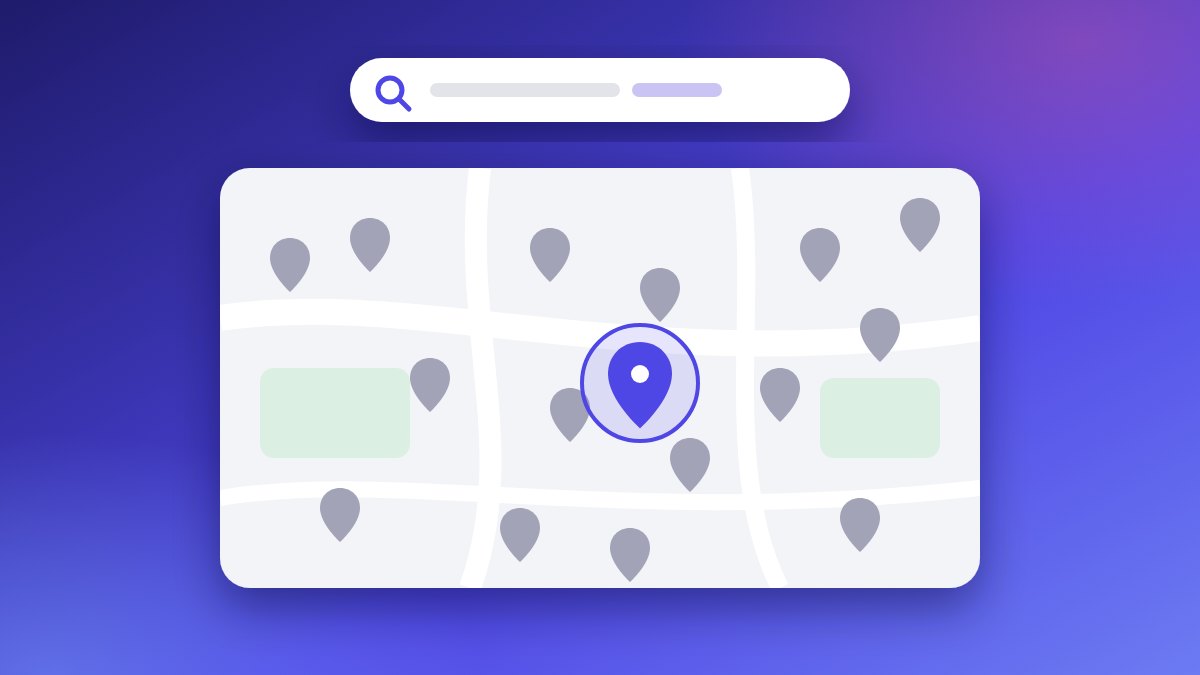
A new client types 'accountant near me', or 'accountant' and their suburb, and sees the accountants Google matches to that search. The ATO then tells them to check the name against the Tax Practitioners Board's register. You can see what they see today, and three fixes are yours to make this month.
A client with no name to go on can start with a search. Google’s own autocomplete suggestion for Australia, read 4 September 2026, finishes “accountant” with “accountant near me” and with suburbs, such as “accountant penrith” and “accountant blaxland”.1
That tells you the words people type. It does not tell you how many people type them, and I’m not going to pretend otherwise.
What it does tell you is that a new client may start with a suburb, not your name. So it’s worth seeing what that search shows, and what you can change about it.
See who else is registered near you
You can see who else is registered around you, and check your own entry, free. The Tax Practitioners Board, the body that registers tax agents and BAS agents (BAS is the business activity statement), publishes its register as open data.2
- Download the register. Go to data.gov.au and search for “TPB Public Register” (the dataset is called tpb-register). It is a spreadsheet, replaced as a whole when the Board refreshes it; the copy I checked on 2 October 2026 was dated 1 October 2026.
- Filter it to your patch. The City column holds the suburb. The postcode sits inside the Business Address column rather than in a column of its own, so filter on the suburbs around you.
- Read each row as a registration. A row is not a firm and not a person: one firm can hold several registrations, and some rows carry no address at all.
I’m not giving you a count for your area. Run it yourself and you’ll have your own, with a date on it.
What does a new client check once they have a name?
The ATO tells individuals to check the register. Its page for people lodging through a tax agent, last updated 24 April 2026, says “You can find a registered tax agent or check whether a person is registered by visiting the TPB website”.3
The same page says “When choosing an agent, you should discuss the service they can provide so you both know what to expect”.3 So the name a client finds on Google should be the name they find on the register, and your listing should say plainly what services you provide.
What decides who shows on Google?
Google says three things decide it. Its page on local ranking says “Local results are mainly based on relevance, distance, and popularity”.4
The same page sets these out under three headings, Relevance, Distance and Prominence. Prominence is the heading for what the summary calls popularity, and Google says it “means how well-known a business is”.4 Under it: “More reviews and positive ratings can help your business’s local ranking.”
There is no paid shortcut. Google says “There’s no way to request or pay for a better local ranking on Google”.4 Anyone who rings offering a paid place on the map is selling something Google says cannot be bought.
Three fixes you can make this month
Each one is yours to do, and none needs new software.
Fix one: make your details match everywhere
Your business name, address and phone number should read the same on Google’s free business listing (the one that puts you on Google Maps; Google calls it a Business Profile), on your website and on your register entry. Google’s guidelines also say “There should only be one profile per business, as this can cause problems with how your information displays on Google Maps and Search”.5
Then check your listing the way a client sees it. Open a private window on your phone, away from your office, and search “accountant” and your suburb.
Fix two: list your services in a client’s words
Google says “Relevance is how well a Business Profile matches what someone is searching for”.4 So list each service on your listing the way a client would ask for it: tax returns for individuals, BAS for sole traders, bookkeeping for small businesses.
Add the suburbs you serve as well. If a client searches with a suburb in it, your listing should name that suburb.
Fix three: ask every client for a review, the same way
Ask every client, not only the ones you expect to be pleased, and offer nothing in return. Google’s rules do not allow a business to “Discourage or prohibit negative reviews, or selectively solicit positive reviews from customers”, or to offer anything in exchange for a review.6
Answering reviews needs one extra thought in your line of work. The Code of Professional Conduct in the Tax Agent Services Act 2009, section 30-10, says “Unless you have a legal duty to do so, you must not disclose any information relating to a client’s affairs to a third party without your client’s permission”.7
So I’d write replies that thank the reviewer and say nothing about their affairs, not even that they are a client. A public reply can be read by anyone who finds you.
If you’d rather hand it over
Get Found is the part of our menu that does this work: your Google profile set up properly, your details right on every site, and reviews asked for the lawful way. Start with one thing, or a bundle. If yours is different, we scope it.
Book a free hour. We’ll search your suburb together on the call and look at what a new client sees.
Sources and notes
- Measured. Google autocomplete for Australia (gl=au), prefix "accountant", read 4 September 2026. Autocomplete shows the words people type, never how many type them.
- Verified. Tax Practitioners Board, "TPB Public Register", data.gov.au dataset tpb-register, licence Creative Commons Attribution 4.0. Columns read 15 September 2026; latest file, dated 1 October 2026, confirmed through the data.gov.au catalogue on 2 October 2026.
- Verified. Australian Taxation Office, "Lodge with a registered tax agent", ato.gov.au. Last updated 24 April 2026; re-read 2 October 2026.
- Verified. Google Business Profile Help, "Tips to improve your local ranking on Google", support.google.com/business/answer/7091. No date shown on the page; read 29 August 2026 and re-read 2 October 2026.
- Verified. Google Business Profile Help, "Guidelines for representing your business on Google", support.google.com/business/answer/3038177. No date shown; read 29 August 2026 and re-read 2 October 2026.
- Verified. Google Maps, "Prohibited & restricted content", support.google.com/contributionpolicy/answer/7400114. No date shown; read 29 August 2026 and re-read 2 October 2026.
- Verified. Tax Agent Services Act 2009, section 30-10, item 6, Federal Register of Legislation, Compilation No. 26 (C2025C00107). Read 15 September 2026.

Sector guides
People search for a mechanic and a pink slip in the same breath
Google's own search suggestions pair 'mechanic' with 'pink slip'. What a pink slip page on your website should answer, in your customers' words.
Rory McNeil 
Sector guides
What a customer sees when they ask an AI assistant for a plumber or a builder
We asked ChatGPT, Perplexity and Google's AI for a plumber and a builder. What came back, and how to check what they say about your trade.
Rory McNeil 
Sector guides
Vets can advertise with reviews about treatment, which a dentist or a doctor legally cannot
The health ban on testimonials in advertising doesn't name vets. What that lets a NSW vet do with client reviews, and the rules that still apply.
Rory McNeil